Start with a small chat model.
Try a suggested Qwen model for a first conversation, a draft or a source question. Move to a larger compatible model when it suits your device.
Chat weights and context use device memory.
 POCKET PI
 LOCAL AI, MADE PERSONAL
A little space for big possibilities. Chat, understand photos and create images with models you download to your iPhone or iPad.
In TestFlight for invited testers · App Store release in preparation
THE IDEA IS ONLY THE BEGINNING
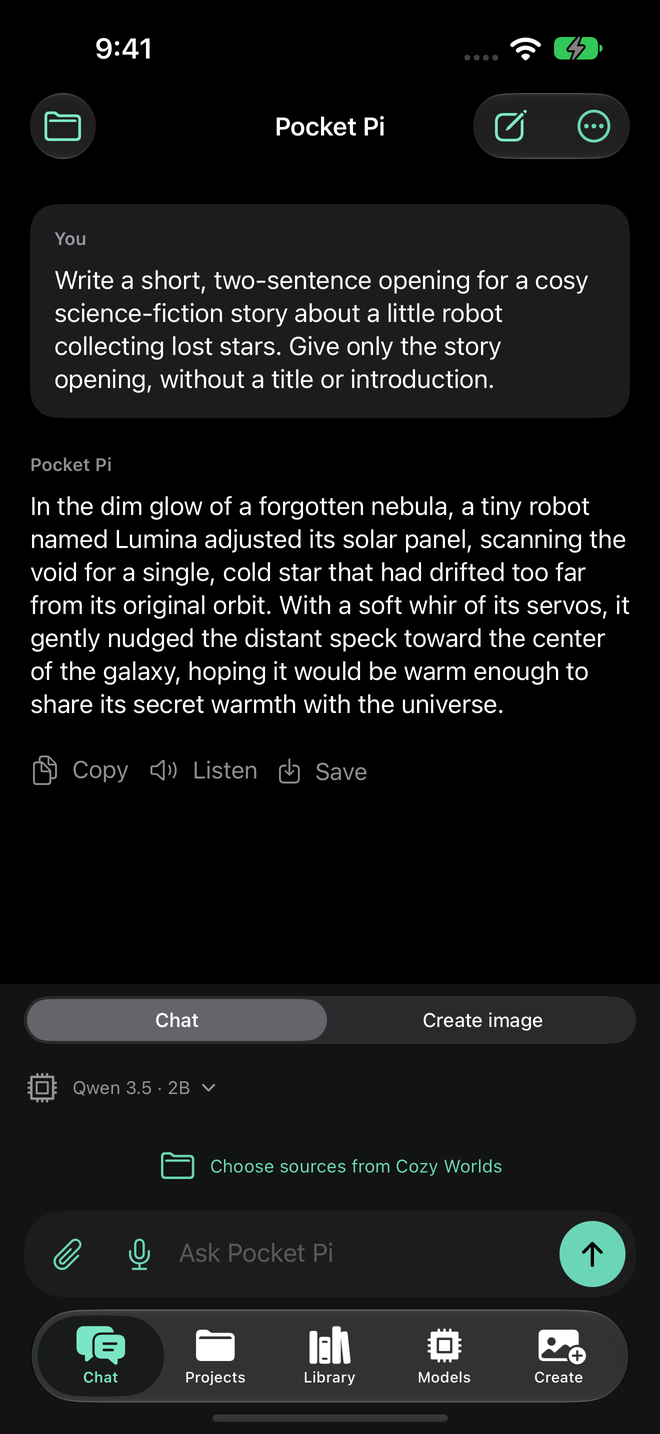
Some days you need the first sentence. Some days, a second look at a photo. Or a tiny dragon for the world you’re imagining.
Pocket Pi brings those moments into one local AI workspace. Choose what to share with your model, review the result and keep the parts worth coming back to.
A DESCRIPTION BECOMES A POSSIBILITY
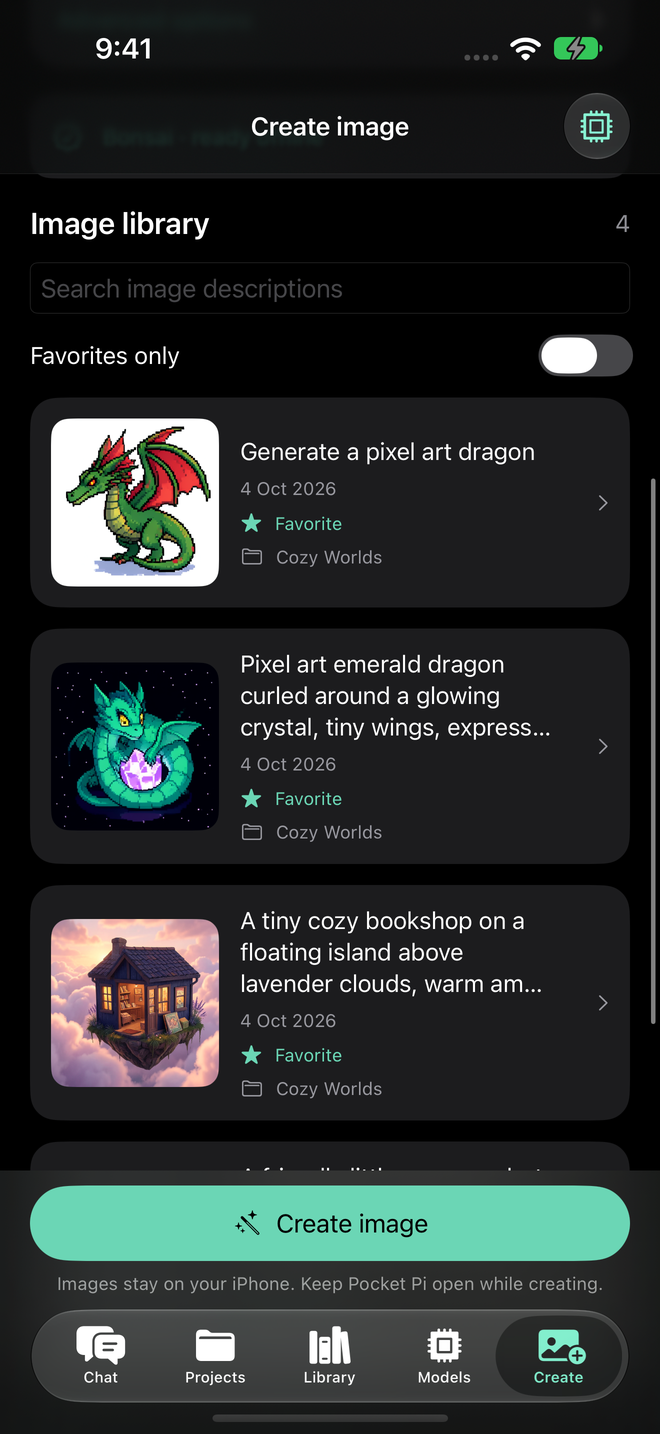
Work on an image idea in chat, open it in Create and make a new image from the description. Save a favourite, try another version or return to it tomorrow.


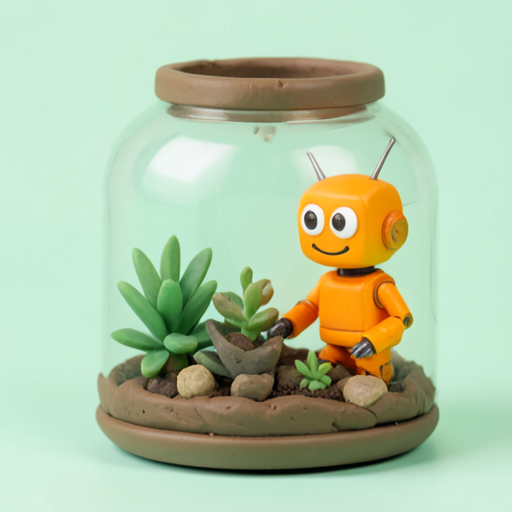
Actual local-model artwork by Bonsai, generated on a Mac and shown in Pocket Pi’s saved gallery. App screens on this page are real simulator captures.
On-device image creation needs a separate model bundle, available working memory and foreground use. Results vary by model and device.
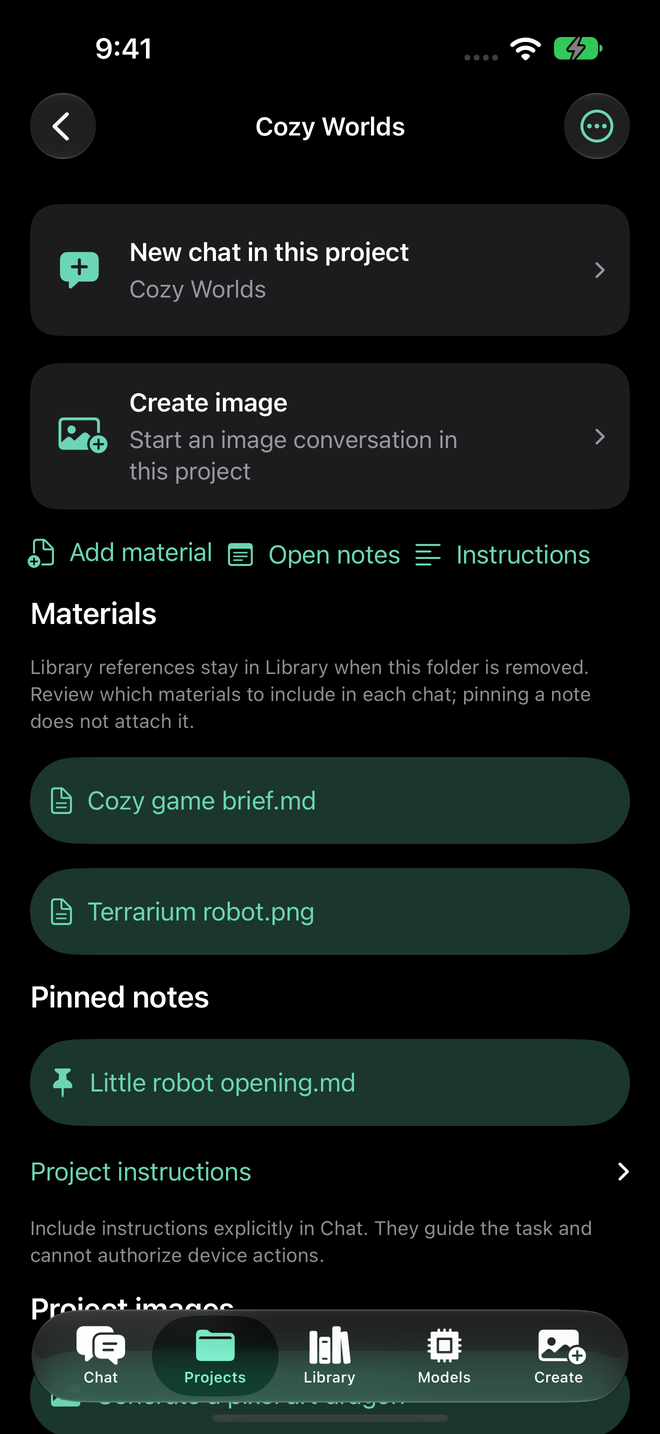
Your work has somewhere to live.
KEEP THE THREAD
Give an idea a project. Keep its materials and useful notes together, then choose the sources for each conversation.
Chats, source materials, pinned notes and images stay connected to the project.
Choose the sources your current chat can see. Saving or pinning a note does not automatically attach it.
Save a useful answer, revisit the material and start a fresh conversation when you need one.
BRING SOMETHING REAL
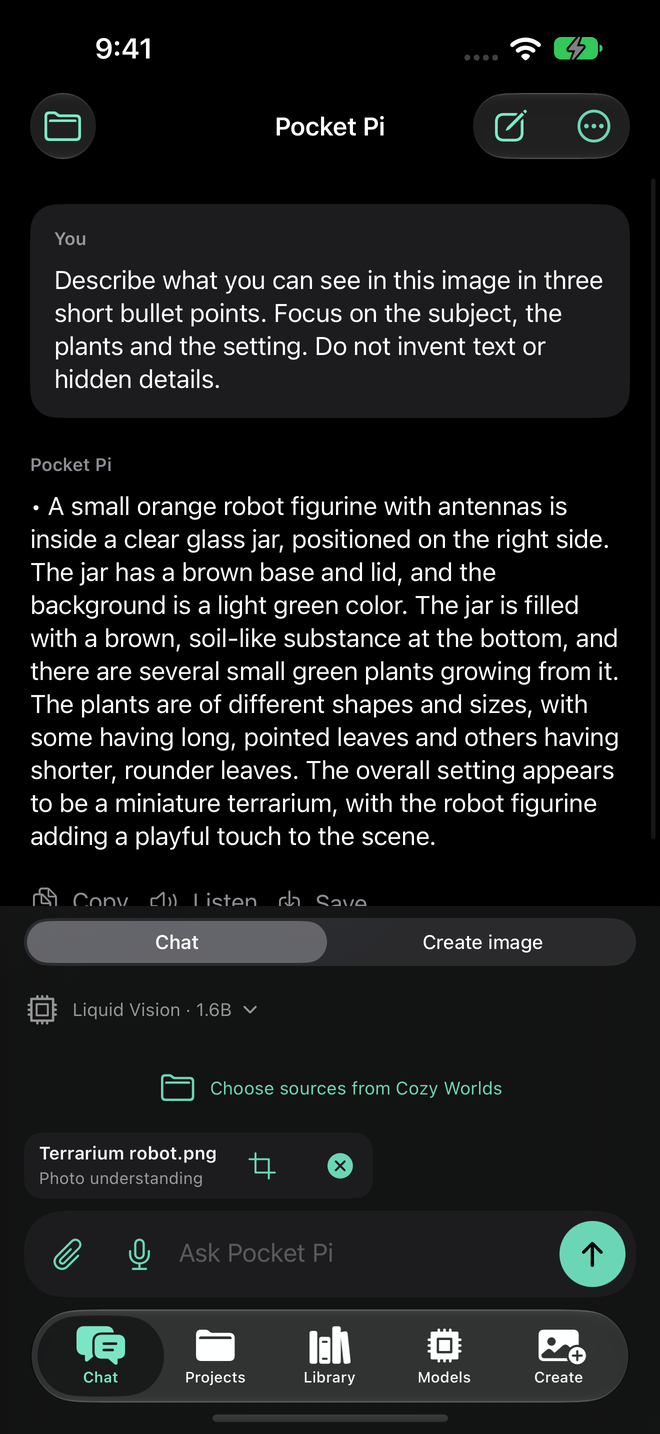
Ask about a selected photo or screenshot with a suitable local vision model. Bring a document into chat when words need a closer look.
Attach the image you want to discuss. Photo understanding needs a compatible model and its matching component.
Include selected document excerpts and review citations. Your assistant works with the sources attached to that chat.
YOUR MODEL. YOUR CALL.
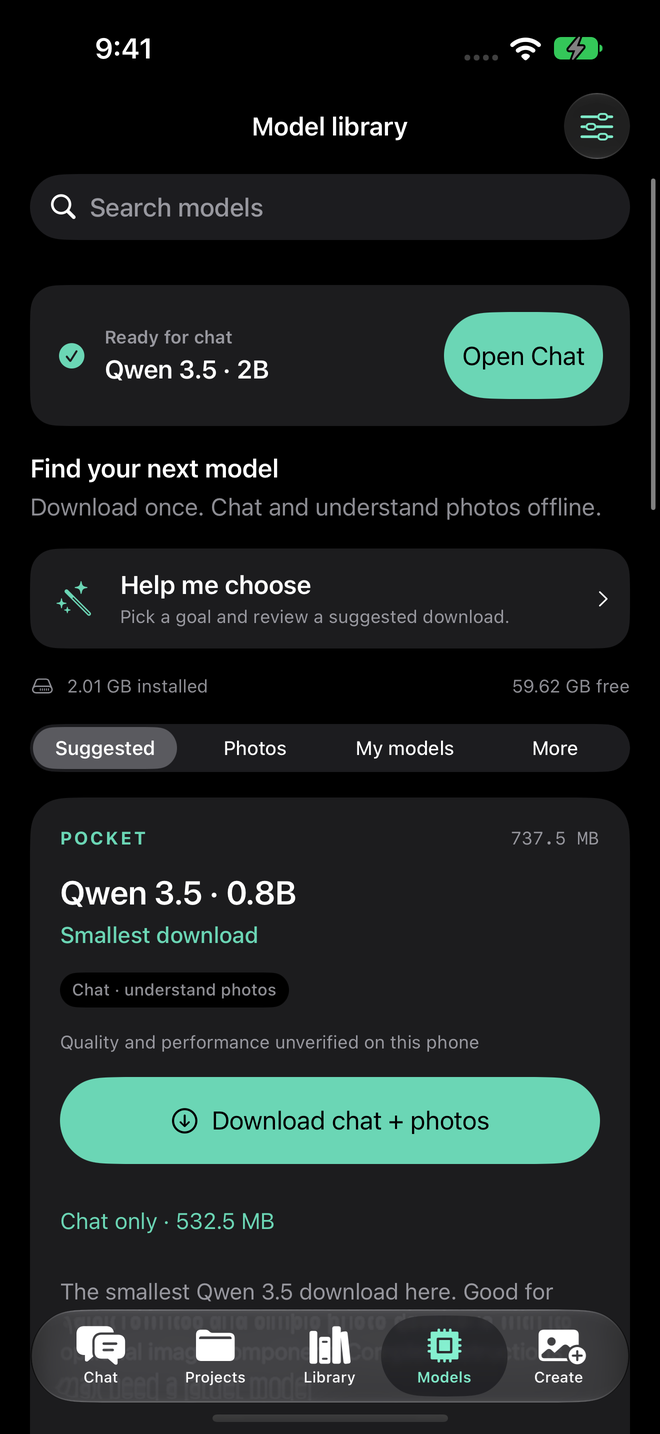
Start with a suggestion. Browse compatible Hugging Face GGUF models, or bring a supported file of your own. Review the download size before making it part of your pocket.
Try a suggested Qwen model for a first conversation, a draft or a source question. Move to a larger compatible model when it suits your device.
Chat weights and context use device memory.
Choose a supported vision model, such as a suitable Qwen or Liquid model, and its matching image component. Attach the photo you want to discuss.
Text-only weights cannot understand an attached image.
Bonsai turns an image description into a new picture. Explore a variation, keep a favourite and reuse the description for your next idea.
About 3.76 GB for the model bundle, plus working space. Keep the app open.
Compatibility matters: model format, architecture and device. Supported text-import families include Qwen3, Qwen3.5, Gemma4 and LFM2; photo understanding uses matching curated components, and image creation uses the Bonsai bundle. Pocket Pi cannot run every model on Hugging Face.
Opening the library requires Pocket Pi to be installed. The Hugging Face link opens the public model hub; it does not import a model.
FAMILIAR TOOLS. THOUGHTFUL CONNECTIONS.
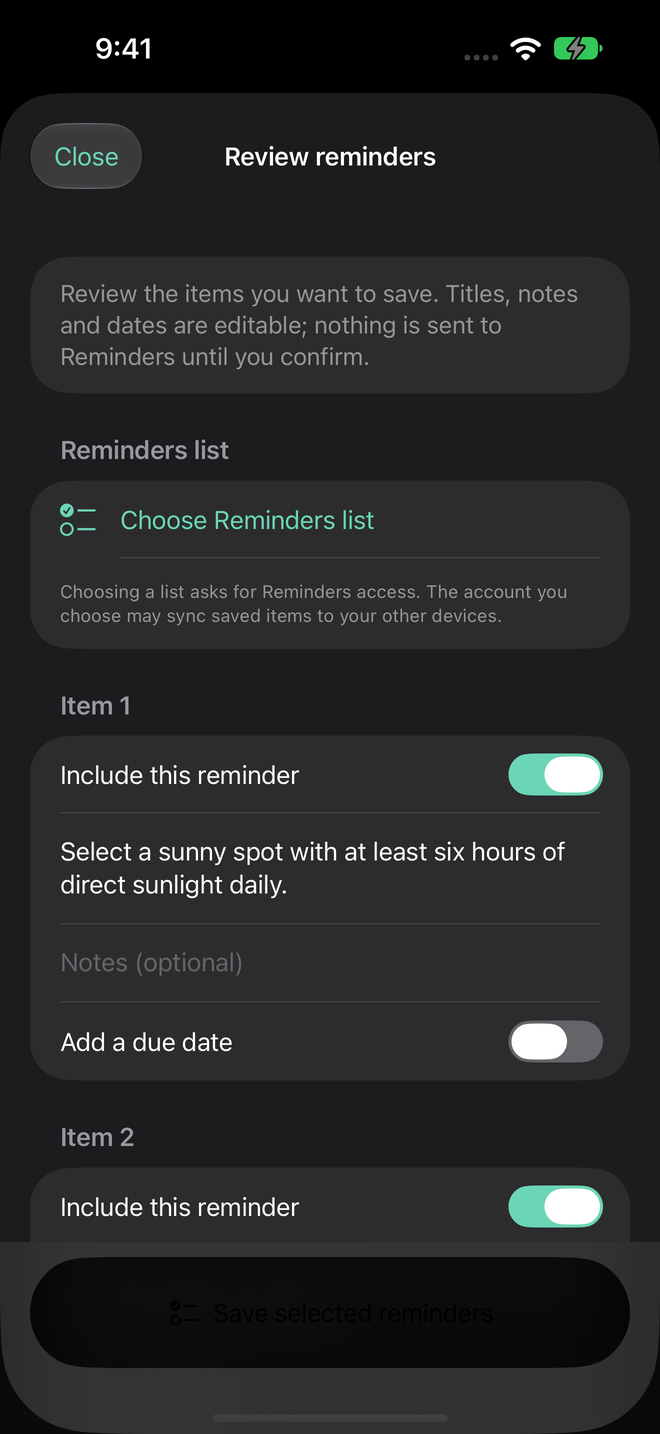
Get from a thought to something useful with Apple’s familiar interfaces. Review a proposed action before it reaches another app.
Bring in text, links and supported files. Choose a project, prepare a question or save a reusable source.
Capture a thought with your voice. Check the words before they become a prompt.
Review a checklist and choose what to save to Reminders. You decide the destination and the final action.
Use widgets, Lock Screen shortcuts, Control Center and Shortcuts. Project names stay out of those surfaces unless you opt in.
Also within reach: native translation, Photos export and Preview/Markup for a separate copy.
LOCAL BY DEFAULT
Once the required phone models are downloaded, your AI can work offline. There’s no silent cloud fallback. Optional paired Mac mode connects only when you choose it.
No subscription. Optional banner ads require your choice, Apple tracking permission and applicable Google consent. Declining tracking keeps AI free. One-time ad removal is US$0.99 or your regional price.
Downloads, model search, purchases, ads and selected native services may use the network. AI content is never passed to ad requests. Your connection choices are explained in the privacy policy.
Read the detailsBEFORE YOUR FIRST DOWNLOAD
Start small. Try one idea.
See what your model makes of it.
Yes. Explore compatible Hugging Face GGUF models in Pocket Pi or import a supported GGUF file. Supported single-file GGUF v3 text imports cover Qwen3, Qwen3.5, Gemma4 and LFM2, subject to file, template and memory checks. Custom imports are untested; compatible formats do not guarantee a good answer. Arbitrary vision, Safetensors, MLX or image-model imports are not supported. Some private or gated downloads also require your own Hugging Face token and permission.
Downloaded phone models can run locally without a cloud inference service. Install the required weights and any matching photo component first. Downloads, purchases, advertising and selected native services can use the network. Pocket Pi does not silently fall back to cloud inference; paired Mac mode is a separate choice.
Pocket Pi requires iOS 26 or later and is designed with the base iPhone 17 as the target. Your choice of model depends on available memory and storage. Larger models and image creation may be unavailable on a particular device. Start with a small suggested model; speed and output quality vary.
They use different model components. Photo understanding lets a compatible vision model discuss an image you attach. Image creation uses the separate Bonsai bundle to generate a new image from a description. Refining a description makes a new image; it does not promise to preserve the pixels of an existing one.
Every AI feature is free. The only optional purchase removes banner ads: one payment of US$0.99 or the local App Store price, with Restore purchases available. There is no subscription. Models still need storage, and their own licence or download terms may apply.
All AI features stay free. Ads require your choice to continue with ads, authorized Apple tracking permission and applicable Google consent before the ad SDK starts. Google identifiers may support advertising measurement across apps after authorization. Your prompts, AI answers, photos, documents and contacts are never passed to advertising requests. Read the privacy policy for the full details.
SOMETHING GOOD IS TAKING SHAPE
Pocket Pi is in TestFlight for invited testers. The App Store release is in preparation.
Designed with base iPhone 17 as the target. iOS 26+ on iPhone and iPad; capabilities depend on memory, storage and model requirements. A public download link will appear here when available.